


A Personal Encrypted VPN for your entire Internet Connection
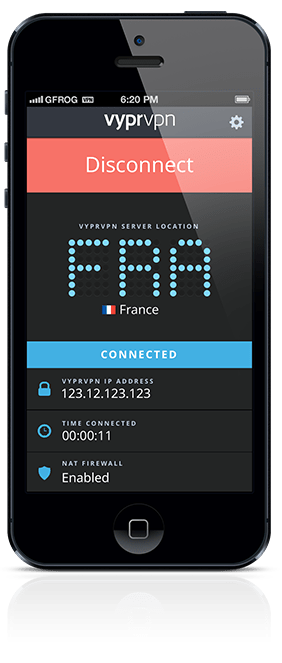
 VyprVPN for iOS
VyprVPN for iOS, is a vpn app that secures your Internet connection on your iPhone or iPad. Whether checking email, browsing the web or using iOS apps, VyprVPN encrypts your Internet connection to secure your personal information from hackers and data sniffers.
VyprVPN for iOS Features:
- Manually connect or disconnect VyprVPN with a single swipe
- Filter by region or country and add VPN servers to your favorites for easy access
- Ping test the VyprVPN servers to find the fastest server
- View your server location, throughput and IP address
- Automatic reconnect option for dropped VPN connections

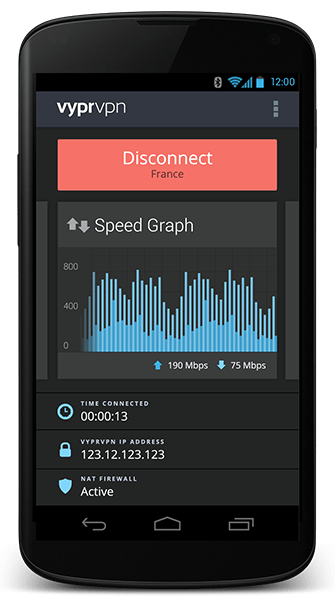
 VyprVPN for Android
Connect to any of VyprVPN’s global server locations on your Android device and secure your mobile data over any Internet connection.
VyprVPN for Android Features:
- Easily connect to VyprVPN with a single tap
- Option to automatically connect to VyprVPN on Wi-Fi and Cellular networks
- Filter by region or country and add VPN servers to your favorites for easy access
- Use the VyprVPN speed graph to monitor your upload and download speeds
- Automatically connect to the fastest VyprVPN server available
- Ping test the VyprVPN servers to see the different speeds
- Use widgets to quickly connect or disconnect from your home screen or lock screen (1×1 Widget & 4×1 Widget)
- Swipe through the VyprVPN cards for quick access to the VyprVPN speed graph, server location map and connection log
- View your server location, throughput and IP address
- Automatic reconnect option for dropped VPN connections